
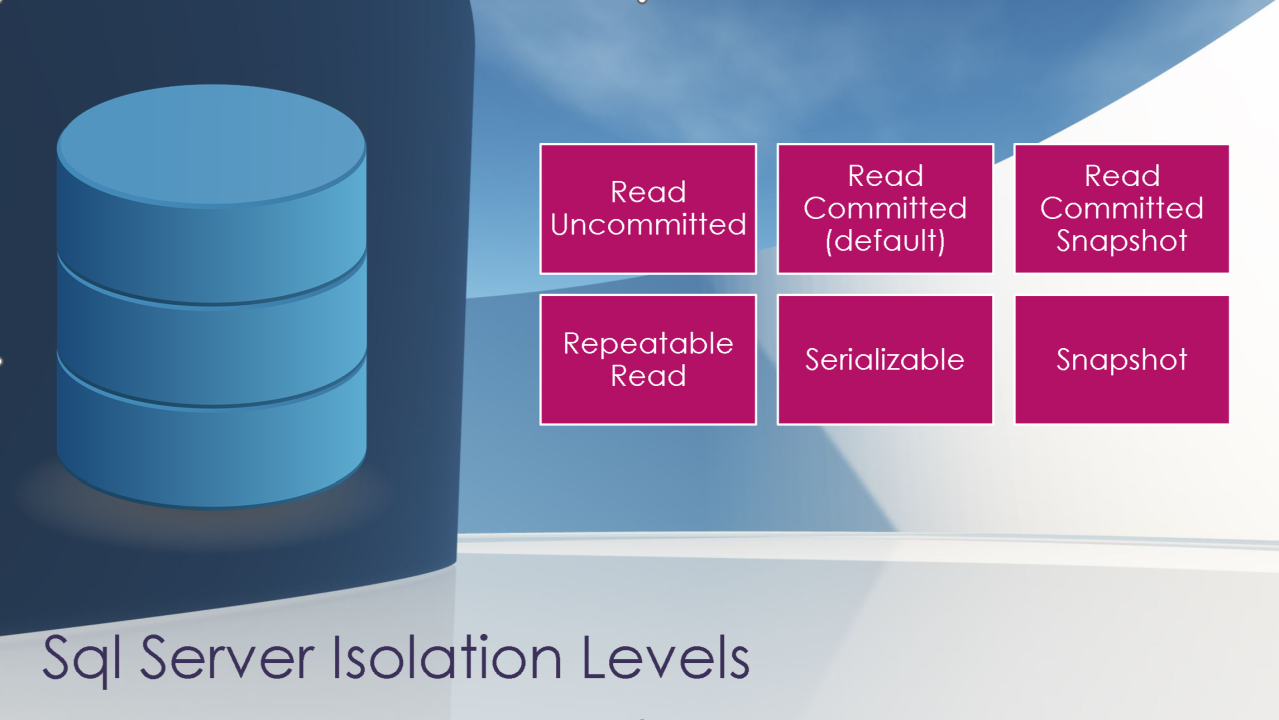
How to change isolation levels without losing your marbles.
A client said the coolest thing to me the other day. He said, “We talked before about why we would want to start using optimistic locking in our code. How do we get there?”
If you’re not a SQL Server geek, that comment probably doesn’t even make sense. But to some of us, when you get an environment to the point that it can handle optimistic locking AND you have developers who are ready to make a few code changes to use it to their advantage, it’s exciting!
I am a huge fan of optimistic locking in SQL Server and have seen dramatic improvements in performance when it’s implemented well. For the right database and the right team, a little hard work makes scaling the application easier in the long run.
Optimistic Locking 101: A Quick Review
If you’re new to Isolation Levels in SQL Server, this post may be hard to follow. Consider taking a quick break to browse through our big list of references on Isolation Levels in SQL Server around the web.
Here’s a very simplified refresher for those who know their isolation levels, but need to brush out the cobwebs:
SQL Server uses “pessimistic” locking in user databases unless you tell it to do otherwise. Your default isolation level in SQL Server is READ COMMITTED. Although that sounds reassuring– who doesn’t want a little commitment from their database?– it’s a form of pessimistic locking. Under the READ COMMITTED isolation level readers can block writers, and writers can block readers. Sometimes the default isolation level isn’t strong enough to provide the right level of consistency, so people need to use higher (“more pessimistic”, if you will) isolation levels to prevent phenomena like non-repeatable reads and ghost records.
Let’s say we have an Orders table, and we’ll add a row in it:
1234567 | CREATE TABLE dbo.Orders (Id INT IDENTITY(1,1) PRIMARY KEY CLUSTERED, CreationDate DATETIME2 NOT NULL, ItemOrdered NVARCHAR(100) NOT NULL); INSERT INTO dbo.Orders(CreationDate, ItemOrdered) VALUES (GETDATE(), N'Jaguar XKR-S'); |
When our database isn’t under much load, it’s easy to query the open orders – just SELECT * FROM dbo.Orders, and you instantly see the one and only order we’ve had.
However, as load increases in a database, then tension between ensuring transaction isolation / correct results and also supporting concurrency increases. You start to battle with blocking and deadlocks.
While someone is trying to load a new row into the Orders table:
1234 | BEGIN TRANINSERT INTO dbo.Orders (CreationDate, ItemOrdered) VALUES (GETDATE(), N'Ferrari 328'); |
If someone tries to check our Orders at the same time, they’re blocked:

In the screenshot above, the left window is inserting a row, and the right window is blocked. That select will just hang there forever until the left query either commits their transaction, or rolls it back.
To work around that, people often use NOLOCK – which works in the sense that the query on the right can now finish instantly:

But that has disastrous results because NOLOCK will show you rows that never got committed, it’ll skip rows, it’ll read rows twice, and your query can outright fail. I explain and demo that over here.
Enter optimistic locking.
Decades ago, SQL Server 2005 introduced two additional isolation levels to help you in your mission towards ever greater concurrency: SNAPSHOT and READ COMMITTED SNAPSHOT isolation (this second option is often called “RCSI”). These two isolation levels use versioning to allow some or all of your queries to speed on by “in flight” transactions and read a previously committed version of the data.
I just have to do two things: turn on optimistic concurrency (more on that in a second), and add a single line to my read-only queries that want to bypass blocking problems while still seeing accurate results:
123 | SET TRANSACTION ISOLATION LEVEL SNAPSHOT; SELECT * FROM dbo.Orders; |
The result is, well, results! I can get results instantly instead of being blocked:

The select query sees only the true data – as if the insert on the left hasn’t committed yet, which is true!
Readers Don’t Block Writers, Writers Don’t Block Readers

Pessimistic marbles
The simplest, purest benefit from optimistic isolation levels in SQL Server is just this: you can allow heavier, reporting style queries to run without blocking your critical writes under OLTP. You suddenly have another option between tuning every expensive query, using dirty reads, or having to run queries against a secondary server.
Sometimes you can decide, “This query isn’t the greatest, but it’s OK to run if it doesn’t block anyone and just reads previously committed data.”
And yes, you can do more than that. You can use the SNAPSHOT isolation level for data modification queries, but then you need to start detecting and handling update conflicts. (Note: this does not apply to READ COMMITTED SNAPSHOT.) There’s nothing wrong with doing that, but in most environments it is not the “biggest bang for your buck” change to implement.
How Do You Implement Snapshot or Read Committed Snapshot Isolation… Safely?
Moving to optimistic locking sounds great, but it’s not a quick change. Rush in too soon and you may suffer big performance problems, loss of availability, and incorrect query results.
That list of potential problems scares off most people. That list makes a project manager think, “I’ve got 99 problems and optimistic locking ain’t one.”
But it really isn’t that hard to test and implement optimistic locking. It just takes a little time and a good plan. Here are three steps I always include when planning out an Isolation Level change.
1. Measure the Effect that Enabling Optimistic Locking has on SQL Server Performance
When you have an existing code base and you’re evaluating optimistic locking, at first it seems that you have a little bit of a chicken and egg problem.
You’re not sure if your production server can handle the load
Testing resources are required to make sure the change won’t create bad data
Nobody wants to invest in testing if the environment can’t handle the load. And people don’t know how to test the impact of the feature safely if it hasn’t been proven to not create bad data. It may seem like a project management deadlock.

Optimistic marbles
Never fear– there’s a method to testing the load first! The key lies in understanding the difference between the two isolation levels. If you enable SNAPSHOT isolation on a database, SQL Server starts implementing versioning technologies so that queries can set their isolation level to snapshot. (Queries have to do this explicitly– as in run a command ‘SET TRANSACTION ISOLATION LEVEL SNAPSHOT’.)
Here’s the bit that’s easy to miss. As soon as you enable SNAPSHOT isolation on a database, SQL Server waits for running transactions to complete, then immediately starts using versioning for data modifications. You start using an extra 14 bytes per row on tables in the database itself. Also, versions are created in the tempdb version store to hold the previous value of data for updates, deletes, and some inserts. This happens even if no queries are run using SNAPSHOT isolation. Seriously.
This may seem a little bit like a rip off. Yeah, you’ve gotta pay for the performance even if you’re not using SNAPSHOT! But it’s for a good reason– your SQL Server does not yet have the feature of being psychic. It can’t predict if at any instant you’re going to start a query using SNAPSHOT, and it’s got to make sure that the database is ready if you do that at any time.
But this can also be a useful feature. You can test the performance impact of versioning for a database just by setting ALLOW_SNAPSHOT_ISOLATION to ON. When you issue the command to change this, SQL Server will wait for all active transactions to complete before returning a status to you (Books Online explains why and how to handle it here – search for ALLOW_SNAPSHOT_ISOLATION on that page.) You can then monitor performance for as long as you have planned and then reverse the process.
As long as you haven’t changed any code and are using the ALLOW_SNAPSHOT_ISOLATION option, no queries will actually USE the changed isolation level and you can simply monitor performance impact of optimistic locking.
One gotcha: I’ve mentioned a specific setting on purpose. The READ_COMMITTED_SNAPSHOT option is named similarly, but is very different! That setting changes your default isolation level to use optimistic locking without code changes on your queries. As soon as you turn it on, some queries could start getting unexpected results or writing incorrect data. (An example of this is below in #3.) The process of turning on READ_COMMITTED_SNAPSHOT also works differently. For a single instant the connection issuing the command to enable RCSI must be the only active command in the database. (I go into more detail on this in the “gotchas” section at the end of this guide.)
Because of both of these reasons, ALLOW_SNAPSHOT_ISOLATION is much more suitable to dip your toe in and find out how enabling optimistic locking impacts your workload. Still follow common sense: test first at low volume times and work your way up to busier times. Know that disabling and going back to “normal” may not always happen as fast as you want if you have long running transactions or a very heavy workload.
2. Plan to Prevent Disaster with Snapshot Isolation
The second step to identify what might get out of hand if something unusual happens– like a rogue session that leaves a transaction open. This isn’t a far fetched scenario. I’ve had this happen due to both human error as well as bugs in application frameworks. It’s really not that rare and it could happen to you.
Your plan needs to identify the biggest risks from the change for your business and what may be challenging to the team who responds to incidents. Then set things up so that if weird things happen, people get notified and know how to triage the issue.
Here’s an example of two things you may identify as your biggest concerns if you implement optimistic locking in SQL Server:
Tempdb could fill
Long version chains could be created, causing query performance to get super slow
How you handle these will vary depending on your monitoring system, tools available, and documentation. Even if you don’t have fancy tools, you can use SQL Server’s performance counter Alerts to let you know if used space in Tempdb rises above a given water line. You can also alert on performance counters for longest running transaction time, or use DMVs to monitor the version store in detail. (Note that not all these DMVs are lightweight to use when the version store gets large.)
Your mission is simple: identify the simplest way for you to monitor the conditions you’re concerned about. Test that it works on a non-production system. Most importantly, write down documentation for the alert that will help someone decode the problem if you’re not around to handle everything and take basic actions.
3. Choose Carefully Between Snapshot and Read Committed Snapshot Isolation (RCSI)
OK, now this is where the developers come in. You can use optimistic locking in SQL Server by using either of these database options– or both. Which one is right for you?
The biggest consideration with an existing code base is how much testing is available for the code. I think the READ COMMITTED SNAPSHOT isolation level is great, but it is going to change your default isolation level for every query right away. This may lead to incorrect results, depending on how your code is written. The worst-case example is if your code:
Reads table data into variables or temp tables
Uses the variables or temp table data to update table data, and the code just assumes no changes have been made between steps 1 and 2
This is called a race condition, and explaining this is beyond the scope of this post. Not all coding patterns are prone to this issue. However, with an existing code base, validating all the code and ensuring that you don’t have any legacy code that’s prone to this issue isn’t always a simple thing. If you have the ability to make changes to your code and you already know a class of queries which you’d like to use with optimistic locking, you may prefer to introduce SNAPSHOT isolation into your environment first, instead of READ_COMMITTED_SNAPSHOT.
To implement SNAPSHOT isolation on some statements, you need to first enable it using the ALLOW_SNAPSHOT_ISOLATION database option. You can then implement SNAPSHOT isolation for some queries– you do this by setting the isolation level with ‘SET TRANSACTION ISOLATION LEVEL SNAPSHOT’. It’s easier to implement this at first for read queries which you’ve tested and know aren’t prone to data issues similar to what we showed above. This means that you may need to use separate connection strings for those queries, or make sure you reset and check the isolation level that you’re operating at after statements complete.
In other words, isolation level is a session level setting. You need to make sure that don’t use SNAPSHOT isolation by accident for more queries than you intend to.
Gotchas With Implementing Snapshot and Read Committed Snapshot Isolation Levels
There’s a few little facts that I’ve found over the years which I didn’t expect. They make total sense, I just hadn’t thought of them until I worked with optimistic locking in SQL Server.
Hints in your code still apply. Let’s say you have a problem with locking. Over the years NOLOCK hints are added in many places to help make this better. You finally get confirmation from your dev team that READ_COMMITTED_SNAPSHOT is safe for your applications and your change is approved, so you turn it on. You’re spending all those performance resources on versioning, but guess what? Those NOLOCK hints are still causing queries to do dirty reads instead of using the data versioning! The NOLOCK hints gotta go.
Writers still block writers in Read Committed Snapshot Isolation (RCSI), and depending on how you’ve written your transactions, this could change results in your application. Read more here.
Update conflicts aren’t the same as deadlocks. Update conflicts are only possible when you use SNAPSHOT isolation for data modification queries– you don’t have to worry about these with READ_COMMITTED_SNAPSHOT. However, it’s often more practical for people to implement SNAPSHOT because of the testing issues I outline above. Even if you’re only implementing SNAPSHOT for read transactions, familiarize yourself with the error codes and messages for update conflicts and make sure your code handles error 3960 (“Snapshot isolation transaction aborted due to update conflict…”).
Enabling READ_COMMITTED_SNAPSHOT on a busy system is harder than it sounds. As I mentioned before, turning READ_COMMITTED_SNAPSHOT on or off is a little unusual. You don’t technically have to put the database into single user mode, but to get the command to complete you need to be running the only active command at the moment. The simplest way to do this is to use the ‘WITH ROLLBACK IMMEDIATE’ clause of the ALTER DATABASE command (search for it on that page.) However, I have not found this to run predictably or easily on very high transaction systems. I recommend planning a change to turn the READ_COMMITTED_SNAPSHOT setting on or off in a database in a very low volume time if you need to keep things predictable.
Rolling back and disabling SNAPSHOT requires more code changes. In order to stop row versioning, you need to disable SNAPSHOT — and as soon as you do that, queries that set the isolation level to SNAPSHOT and try to run will fail with Error 3292: “Snapshot isolation transaction failed accessing database ‘dbname’ because snapshot isolation is not allowed in this database”