

You’re looking at page split numbers in a monitoring tool or Perfmon, and you’ve heard that page splits are bad, so you’re lowering fill factor, expecting your page splits to go down.
You’re monitoring the wrong number.
To prove it, let’s check the page splits counter, add 10,000 pages to a table, and then check it again:
Transact-SQL
123456789101112131415 | DECLARE @StartingPageSplits BIGINT = (SELECT cntr_value FROM sys.dm_os_performance_countersWHERE counter_name LIKE 'Page Splits/sec%'); DROP TABLE IF EXISTS dbo.PageSplitTest;CREATE TABLE dbo.PageSplitTest (Id INT IDENTITY(1,1) PRIMARY KEY CLUSTERED, BigData CHAR(8000)); INSERT INTO dbo.PageSplitTest(BigData) SELECT 'BigData' FROM generate_series(1, 10000); SELECT cntr_value - @StartingPageSplits AS PageSplits FROM sys.dm_os_performance_countersWHERE counter_name LIKE 'Page Splits/sec%'; |
I purposely designed a very special table there: each row is about 8,000 bytes on its own. No row can possibly share a page with another row. Every row needs its own 8KB page. There is simply no such thing as splitting this page to move rows around. Every new row that comes in, gets its own page, at the end of the object because we’re using an identity clustered primary key. New rows go in at the end.
So, why does this counter show over 10,000 page splits every time you run the test?

The stupid Page Splits counter includes new page allocations.
I don’t understand why this Perfmon counter was ever built this way, but it’s always been this way. Anytime a new page is added for a table, it’s called a “page split” in this counter, even when nothing is being split. So simply by doing inserts, you’re gonna get page splits, regardless of how your index or fill factor is configured.
Note: I generated the above animation with Claude Code, but everything else in the post is all me, including the T-SQL.
So why are there so many people who are so misled about lowering fill factor in order to reduce page splits? It’s because they use Copilot, I guess. I asked SSMS Copilot, “In SQL Server, will lowering fill factor reduce the Page Splits/sec Perfmon counter numbers, given the same workload?”

Bing agreed too:

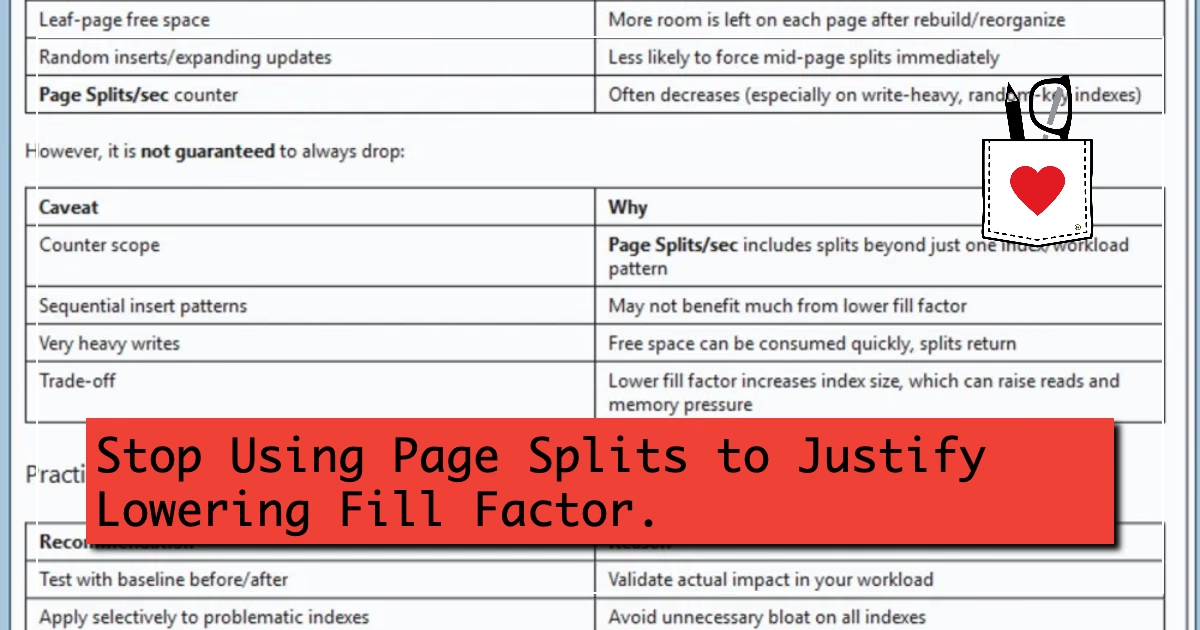
ChatGPT at least mentioned that there are catches, like sequential inserts:

ChatGPT also linked to this Microsoft Learn documentation page, which does indeed say – without qualification – that Page Splits/sec are the “number of page splits per second that occur as the result of overflowing index pages.”
This is why it’s so important, now more than ever, to doubt anything that doesn’t have a demo attached.
Comments
Comments